Restarting the workspace
Restart the NoteCore workspace when it is stuck or needs a simple recovery.
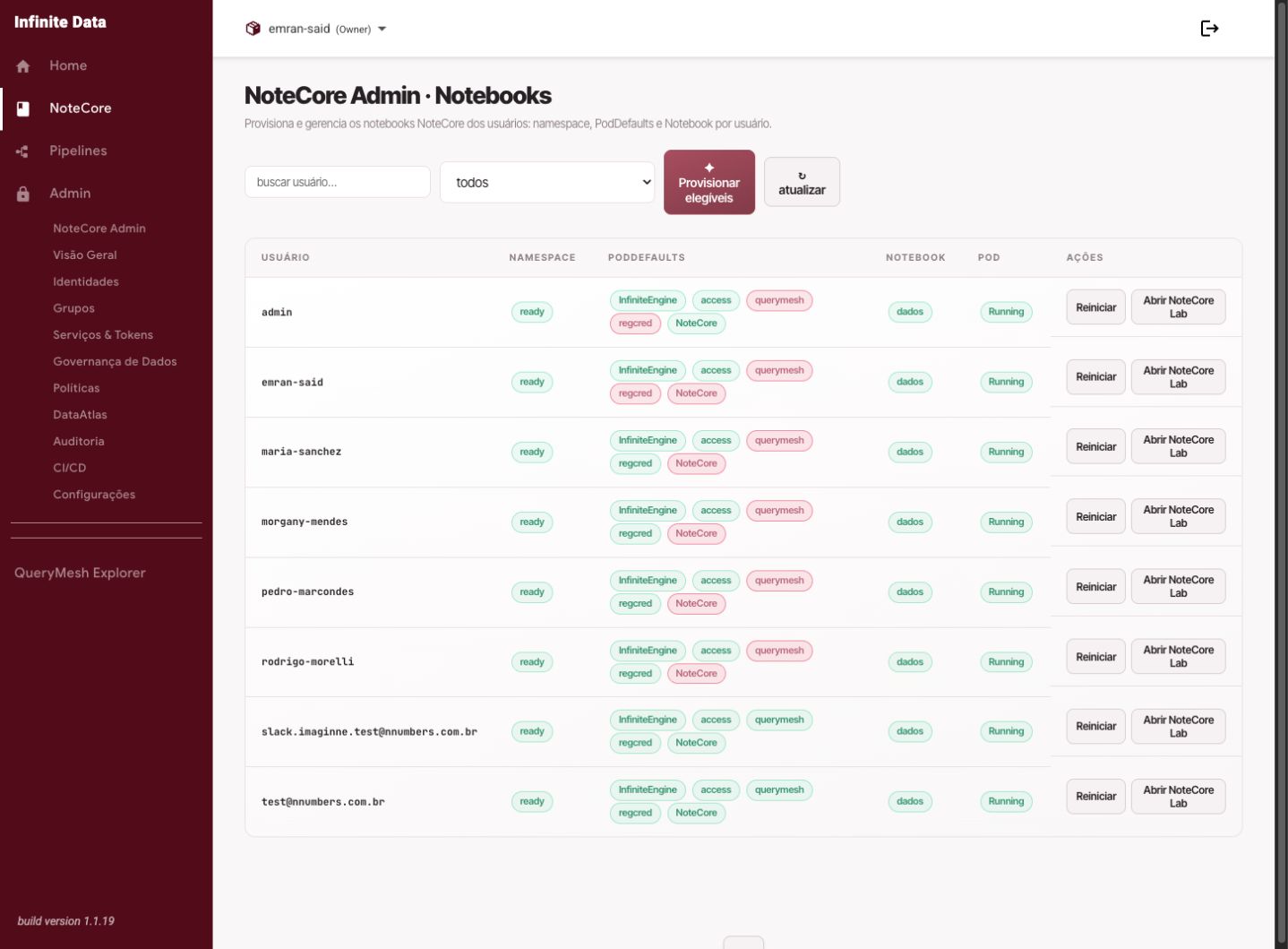
When to use this
- Use it when the workspace does not respond.
- Use it when notebooks do not run as expected.
- Use it after guidance from your administrator or the support team.
Before you start
- Save open files where possible.
- Tell people who depend on the same work.
- Confirm that restarting is appropriate for the problem you are seeing.
Step by step
- Open NoteCore.
- Find the restart workspace option, where available.
- Read the impact warning.
- Confirm the restart.
- Wait for the workspace to become available.
- Open the notebook again and check your work.
What happens next
- The workspace restarts, with no intent to delete your preserved files.
- Processes that were running may be interrupted.
- The action may be recorded for administrative follow-up.
Common errors
- Restarting during an important run without saving the results.
- Repeating the restart without investigating a recurring cause.
- Confusing a data access problem with a workspace problem.
Good practice
- Save notebooks before restarting.
- Record the time and the symptom if the problem persists.
- Ask your administrator for help with repeated failures.
Next steps
Was this page helpful?
Report a problem on this pageDo not send passwords, keys, tokens, or customer data.