Finding available data
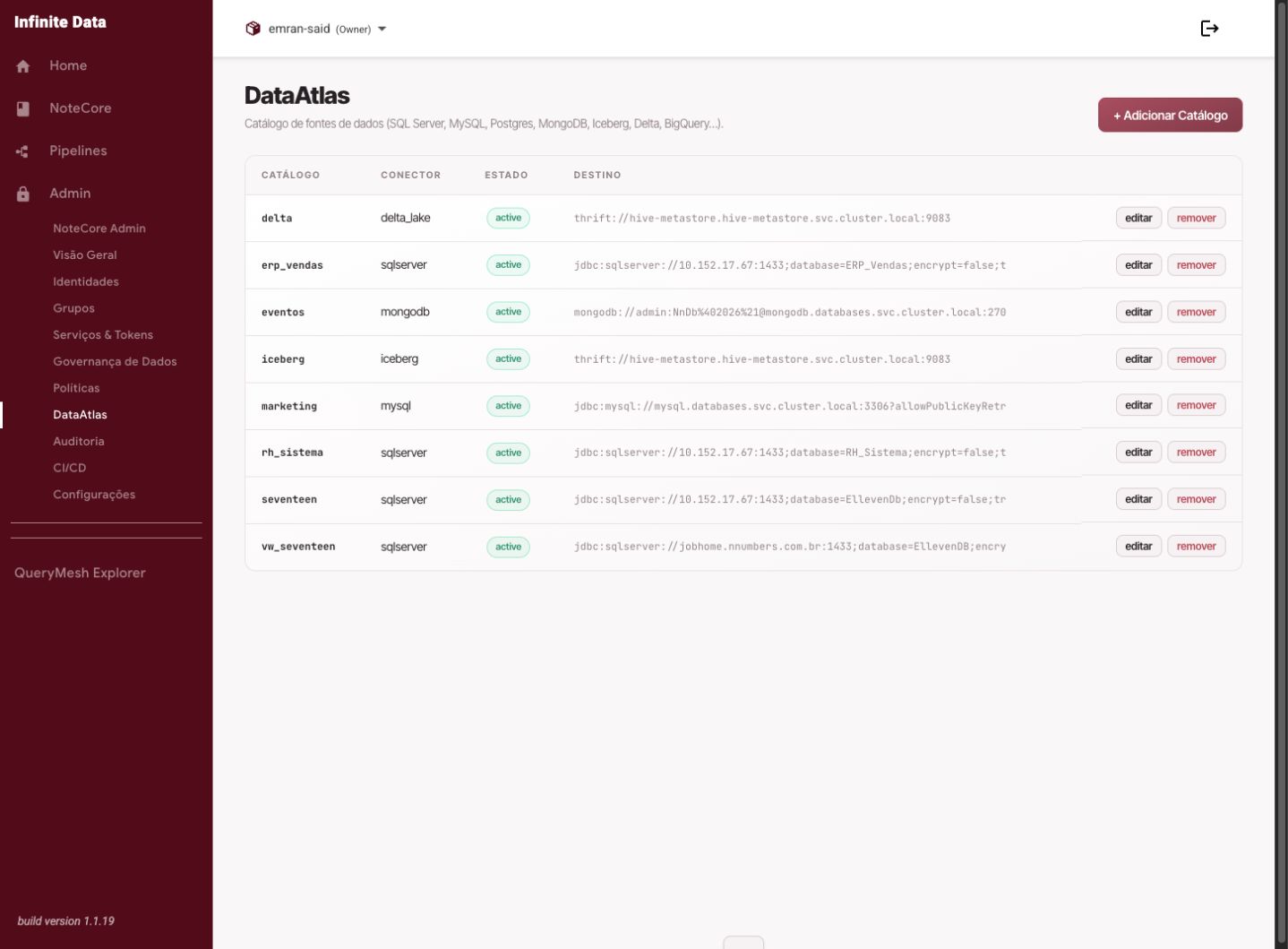
Use the Data Catalog to discover the sources, tables, and columns available in Infinite Data.
When to use this
- Use it when you need to find data for an analysis.
- Use it when you want to confirm a source is available in the Console.
- Use it before requesting a new access rule.
Before you start
- Have a business question or domain in mind.
- Know the likely keywords for searching tables or columns.
- Understand that availability in the catalog does not mean automatic access to query it.
Step by step
- Open Data Catalog.
- Use the search to look for a table name, a column name, or a business term.
- Filter by catalog or schema when there are many results.
- Open the candidate table and review its columns.
- Confirm the table answers the business question.
- If needed, use what you found to request access from the manager.
What happens next
- You will have a precise reference for querying or for requesting access.
- The access request can name the catalog, schema, table, and purpose.
- If you already have access, you can query it through QueryMesh Explorer.
Common errors
- No search results: try shorter terms, or confirm the name with the data owner.
- Tables that look too alike: compare columns and context before using one.
- Access denied when querying: request an appropriate data rule.
Good practice
- Avoid requesting access before locating the right data.
- Use descriptions and column names to validate your choice.
- Prefer certified or recommended tables when your organization indicates that.
Next steps
Was this page helpful?
Report a problem on this pageDo not send passwords, keys, tokens, or customer data.