Key pairs
Key pairs (public/private)
A key pair lets you connect to your compute instances over SSH (with SSH-type keys) or over WinRM (with X509-type keys).
You can select an existing key pair, import a public key, or generate a new pair.
Generated key pairs must have their private keys exported and saved somewhere safe, to be used later by an SSH client (for example OpenSSH, PuTTY) or by WinRM. Public keys are automatically made visible to the images through cloud-init. Additional keys can be configured through the cloud-init script.
Create a key pair
You can generate a key pair from the Project -> Compute -> Key Pairs menu, using the Create key pair button, or from the instance creation screen, under Key Pair, using the Create key pair button. The private key downloads automatically once you click.
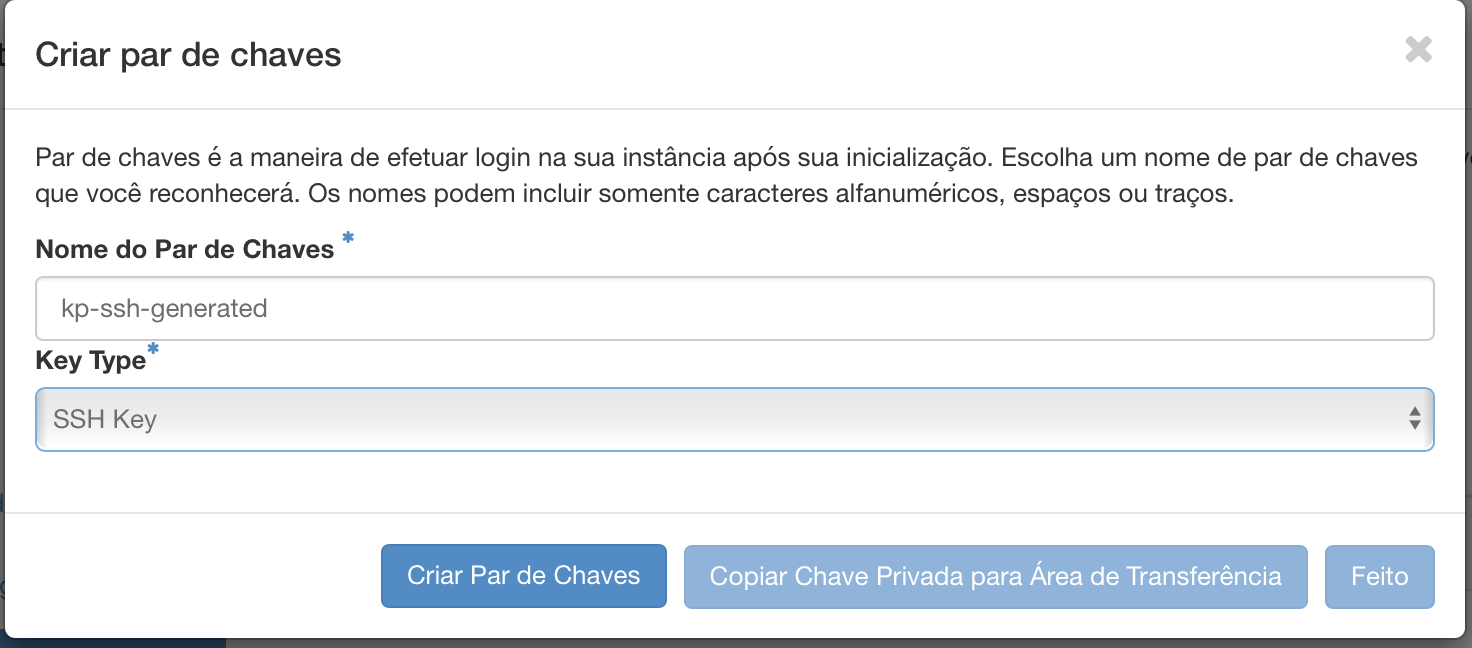
Save the private key somewhere safe, with the right permissions.
chmod 600 ~/.ssh/my-private-key
Import a key pair
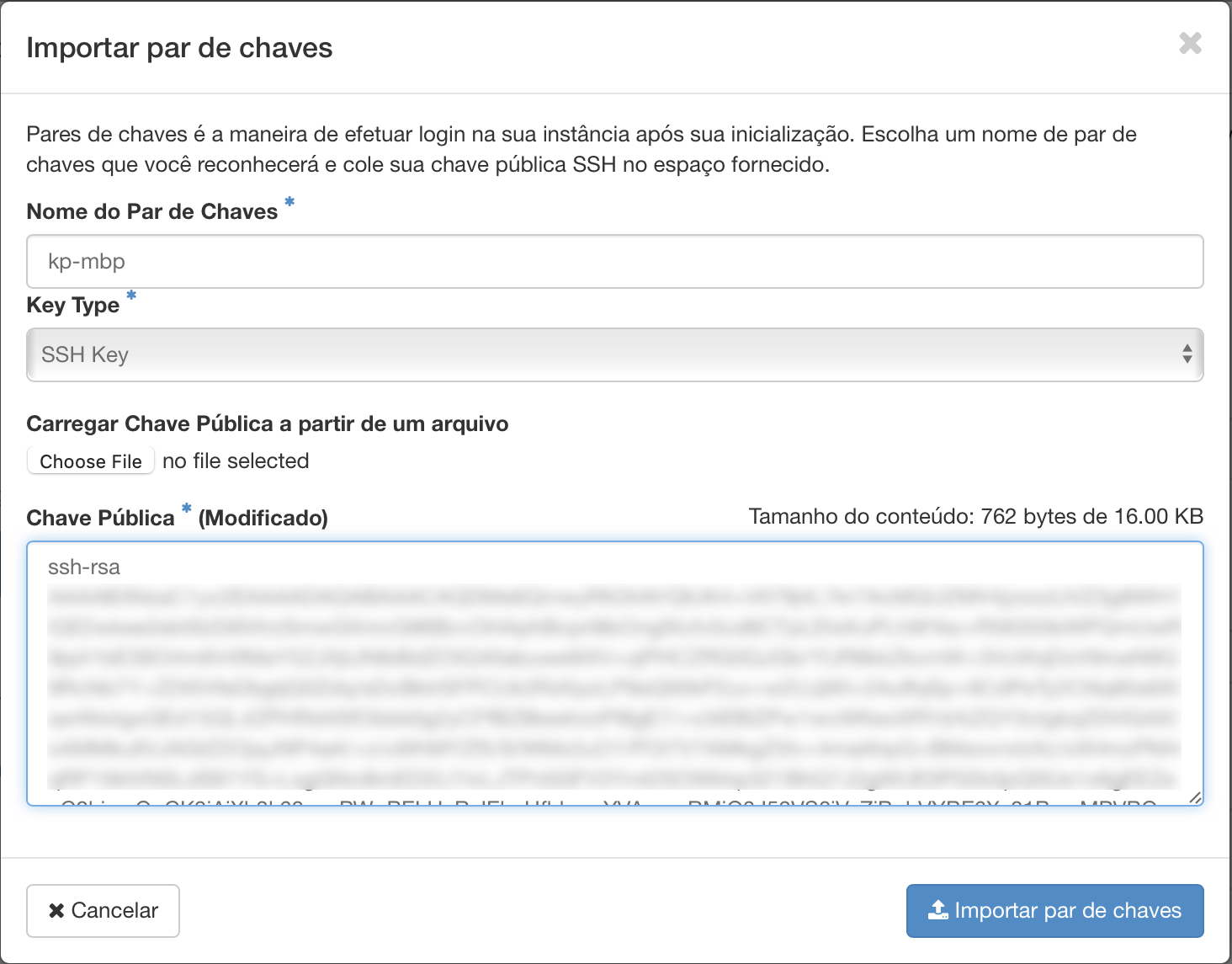
A public key generated earlier through the option above, or generated locally, can be imported from the instance creation screen under Key Pair using the "Import key pair" button, or from the Project -> Compute -> Key Pairs menu using the Import Public Key button.
Next steps
Was this page helpful?
Report a problem on this pageDo not send passwords, keys, tokens, or customer data.